Extrude
Pull a closed sketch into a solid. Add material, cut it away, or keep only the overlap.
FreeSolid modeling for makers and engineers
Extrude, revolve, loft and fillet your way to gears, enclosures and parts you can print, cut and machine.
Interface
No ribbons stacked three rows deep, no wall of 200 icons. BevelCraft keeps the tools in a few floating panels and gives the screen back to your part.
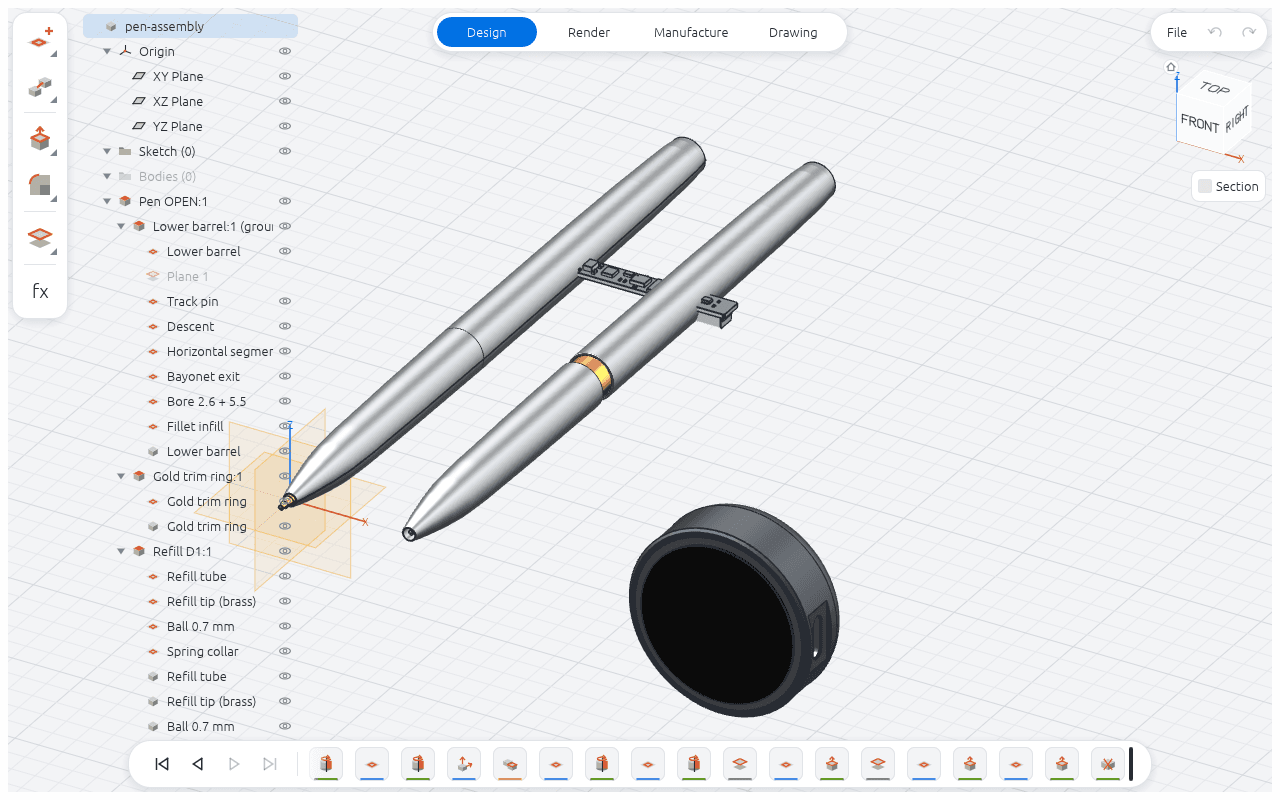
Design, Render, Manufacture, Drawing. One click apart, never in your way.
Grouped by task, with menus that unfold only when you need them.
Components, bodies and features, each one with a visibility switch.
Jump to any view, or slice the model open to look inside.
Every step you take, in order. Scrub back, edit, and the model rebuilds.
Works with AI
BevelCraft has a built-in MCP server, so AI assistants can drive it directly: sketch, constrain, extrude, fillet, assemble, draw and export. You describe the part; the model builds it step by step, checks its work with renders, and hands you a parametric file you can keep editing.
>
Done: two meshing gears, centre distance 38 mm, exported as STL.
Sketch & constraints
Every solid starts from a sketch. Sketch freely, then lock the intent in with constraints and dimensions. Change a number and the shape follows, keeping every tangent, every center, every right angle.
Lines, arcs, circles, rectangles, slots, polygons, splines and text. Import SVG outlines, and sketch on any plane or flat face.
Drag the sliders: the profile stays tangent, concentric and square.
Conical helix, routed pipe, spline cable · modeled in BevelCraft
3D sketches
Route a pipe through a frame, run a cable around a corner, wind a conical spring. Draw polylines, arcs, splines and helixes straight in 3D, then sweep any profile along them.
Solid modeling
Each of these was modeled in BevelCraft, step by step, and exported straight to this page. Grab one and turn it around.
Pull a closed sketch into a solid. Add material, cut it away, or keep only the overlap.
Spin a profile around an axis for anything round: shafts, knobs, pulleys, bottles.
Blend between two or more sections for smooth, flowing transitions.
Run a profile along a path, flat or in 3D, for tubes, rails, handles and wires.
Round off edges, then hollow the solid to an even wall thickness in one step.
Real ISO metric threads, coarse or fine, inside holes or on shafts.
Repeat features in rows or around an axis, as many times as you need.
Bevel edges at a set distance to break sharp corners cleanly.
Assemblies
Model each part in its own space, place it, and tie it to its neighbours with joints. Scroll to take it apart.
Joints
Joints tell parts how they may move: turn on an axis, slide along a guide, or both. Set the travel limits, drag one part and the whole mechanism follows. This crank-slider runs on the joints it was built with.
Drawings
When a part leaves your desk it needs a drawing. BevelCraft projects the views, cuts the sections and dimensions them for you.
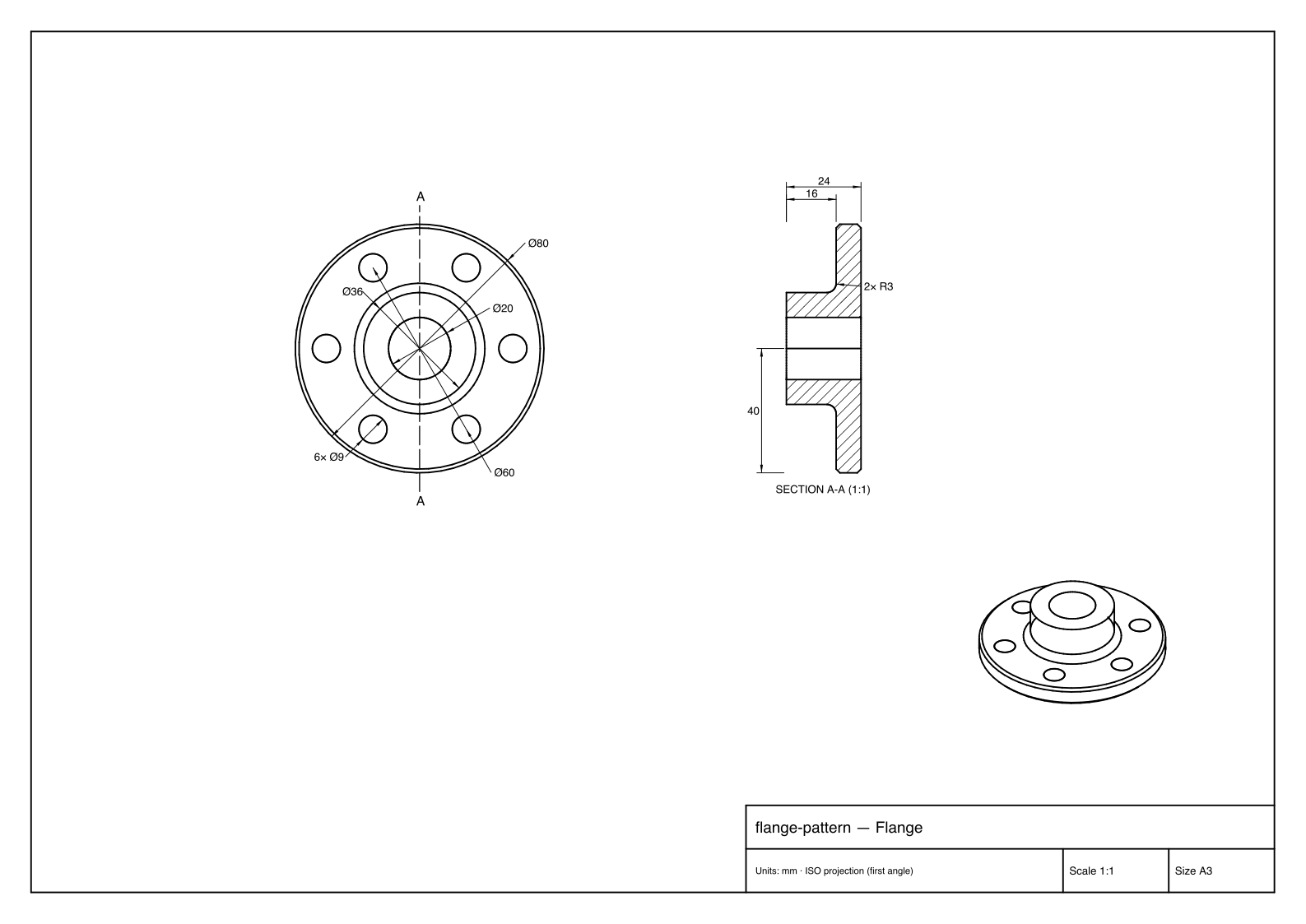
Drop a base view and pull the others off it, ISO first-angle.
Cut through any view, with hatching done for you.
Sizes, steps, holes and radii in one click. They follow the model when it changes.
Add deviations, fits like H7, notes and leaders.
A3, A4 and up, landscape or portrait, ready to print.
Send a PDF to the shop or a DXF to the laser cutter.
CAMAlpha
Set the stock, pick the operations, watch the material come off in the simulation, and post G-code for your machine. No export, no second program.
Alpha: the CAM module is new and still evolving. Always check toolpaths in the simulation and dry-run new programs before cutting real material.
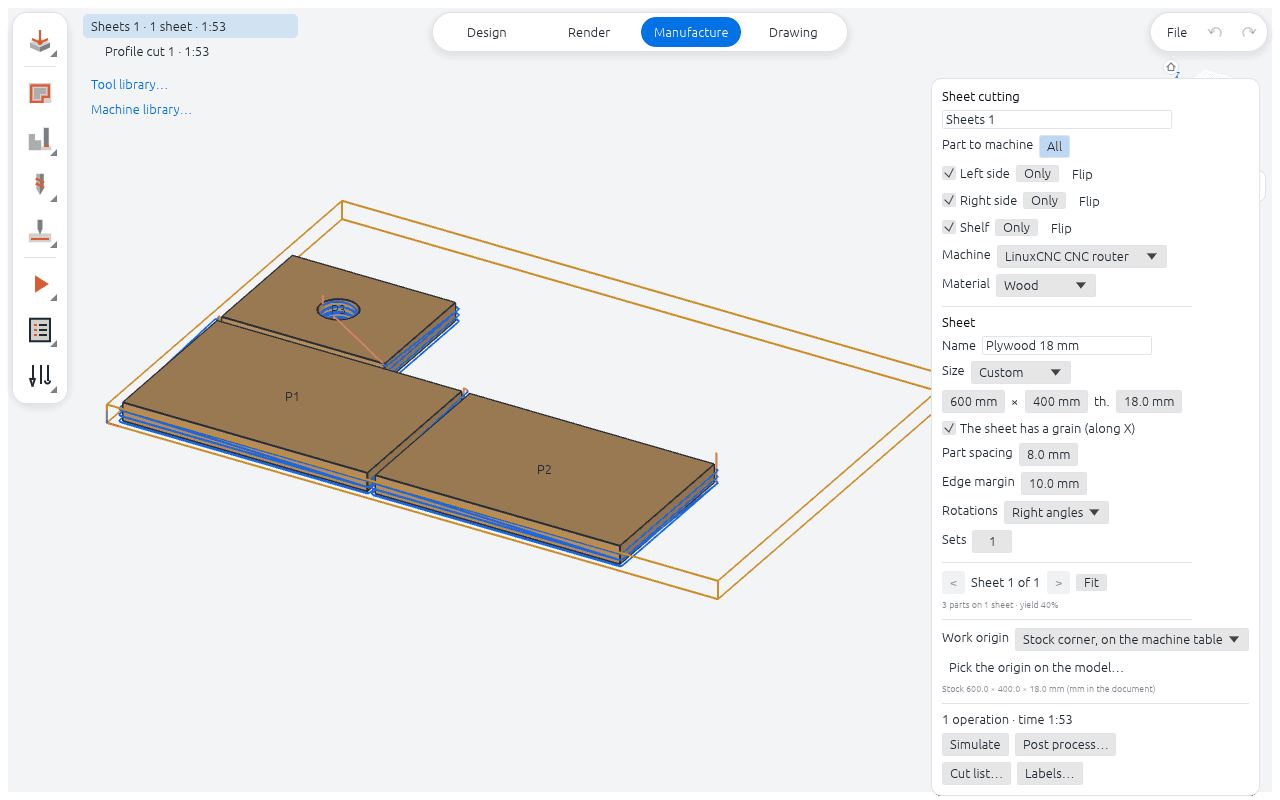
The flange, on a 3-axis mill
Import & export
Bring in what you already have, send out what the next person needs. Your own models are saved as .bcraft files on your disk, with autosave and crash recovery.
Import
STEP · .step · .stp
Solid bodies from suppliers and other CAD tools, ready to measure, drill or build around.
DXF · into a sketch
2D outlines from drawings and laser files become sketch geometry you can constrain and extrude.
SVG · into a sketch
Logos, icons and artwork turned into profiles to extrude, engrave or cut.
BCRAFT · linked parts
Bring in parts from other BevelCraft files as components, and refresh them with one click when the source changes.
Export
STEP · parts & assemblies
Hand the model to anyone, with every part of an assembly in its place.
STL · for 3D printing
Per body or the whole assembly, with the mesh tolerance you choose.
PDF · drawings, cut lists, labels
Print-ready sheets for the workshop, plus nesting reports and part labels.
DXF · drawings
Send flat views and sheets to laser cutters, plotters and other 2D tools.
NGC · G-code · LinuxCNC
Toolpaths posted straight from the CAM workspace. More post-processors to come.
CSV · cut lists
Panel sizes and quantities from sheet layouts, for ordering and costing.
Free
€0.
Most makers and engineers use a fraction of what big, expensive CAD packages do. BevelCraft gives you the solid modeling that matters, for free.
Download it, use it. No trial that runs out, no monthly bill.
Assemblies, drawings and CAM are included. There is no Pro tier.
Models live on your computer. Export STEP and STL whenever you want.
No password, no card. Sign in with a one-time code and start modeling.
And more
The pieces that turn a modeler into a workshop tool.
Place parts, connect them with revolute, slider and cylindrical joints, set limits, drag the mechanism and check for interference.
Geometry runs on OpenCASCADE in a separate process. If an operation fails, your session doesn't.
Written in Rust and run on your own machine, natively or in your browser. No lag from the cloud.
BevelCraft runs right in your browser. Pop in your email, grab the code we send you, and start modeling. Free.